Lesson 1 of 9 in How Google and AI assistants find a business · Module 1
How Google finds, reads and ranks a page

Beginner4 minChecked on November 20, 2026
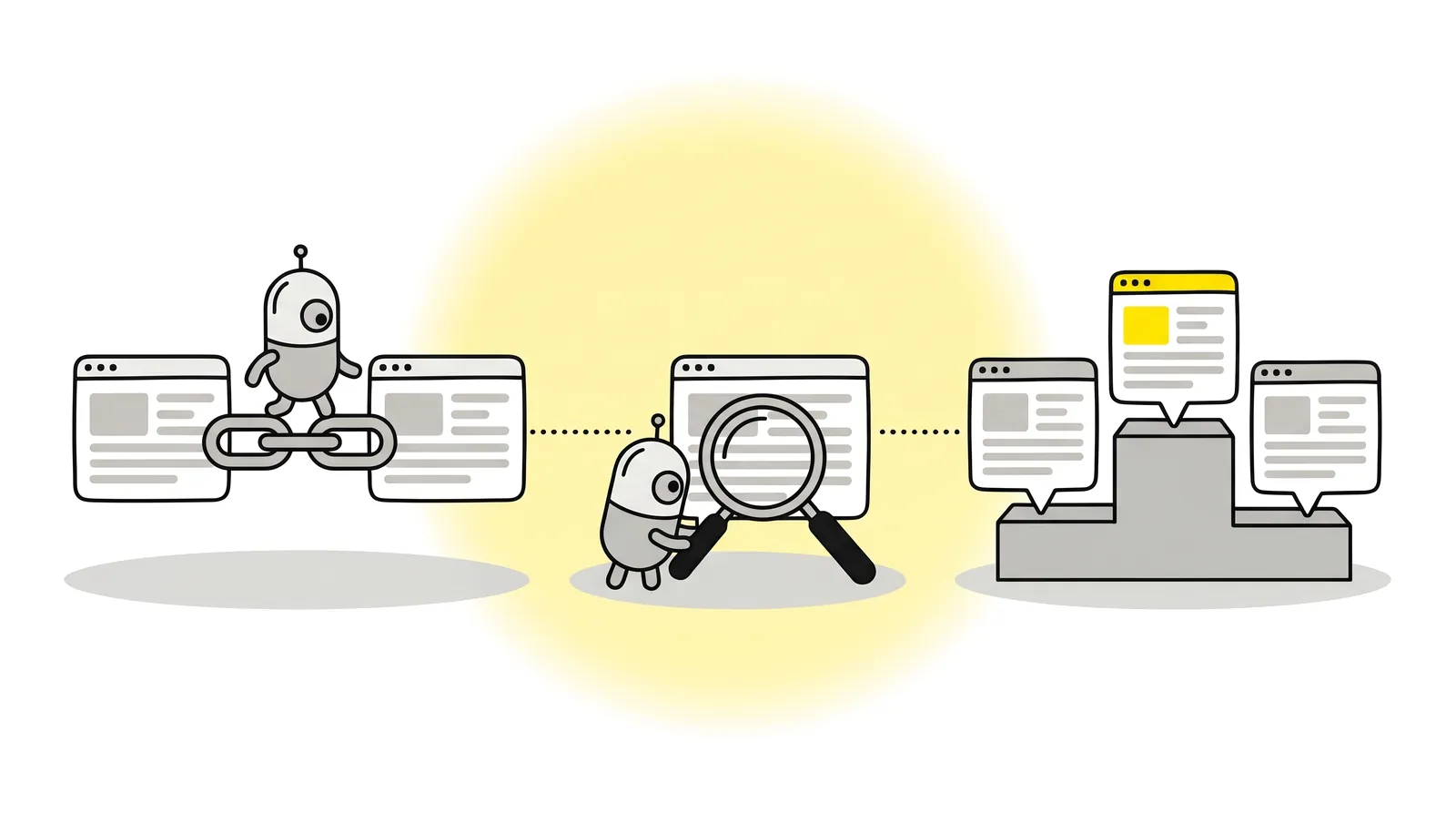
Before a page can bring a customer from Google, Google has to find it, read it and decide to show it. The vast majority of pages in Google's results got there without anyone submitting them. Any page can still stop at one of these three steps, and knowing which one tells you what to fix.
Every page goes through three stages, and none is guaranteed
Google Search is fully automated. Its crawlers explore the web regularly to find pages for its index. Each page then goes through crawling, indexing and serving, in that order, and not every page makes it through each stage.
Google does not accept payment to crawl a site more often or to rank it higher, and anyone who tells you otherwise is wrong. Google's ranking is done by programs.
Google guarantees none of the stages either. A page that follows the Google Search Essentials, the rules that make content eligible to appear in Search, may still not be crawled, indexed or served.
Google discovers new pages through links and sitemaps
Google discovers a new page when it follows a link from a page it already knows, or when the site owner submits a sitemap, a file listing the site's URLs that the owner cares about. A sitemap is not required, and some content management systems create one automatically.
Links do most of the work. Google finds pages mainly through links from pages it has already crawled, often on other websites, and the vast majority of the new pages it finds every day arrive that way.
Google's own example is a category page that links to a new blog post. Google already knows the category page, extracts the link from it and adds the new post to its list of known pages.
Where a page can stop
Once Google knows a URL, Googlebot may crawl it. An algorithm decides which sites to crawl, how often, and how many pages to fetch from each.
Googlebot does not crawl every page it discovers: an owner can disallow crawling, and some pages need a login. Server problems, network issues and rules in the site's robots.txt file that block Googlebot are common reasons it cannot get to a page.
During the crawl, Google also renders the page. It runs the page's JavaScript in a recent version of Chrome, as your browser does, so that it sees the content the JavaScript adds.
Indexing comes after crawling. Google analyzes the page's text, images and videos, and key tags such as the title, to understand what the page is about. It groups pages with similar content and picks the most representative one, the canonical, which is the version that may be shown in results.
Not every page Google processes is indexed. Low-quality content, a rule in the page's code (noindex) that asks Google not to index it, and a site design that makes indexing difficult are common causes.
Serving happens when someone searches. Google's machines look in the index for matching pages and return the ones Google believes are of the highest quality and most relevant. Relevance depends on hundreds of factors, which can include the searcher's location, language and device. A search for "bicycle repair shops" shows different results in Paris and in Hong Kong.
A page can be indexed and still not appear, for example when its content does not match what people search for, when its quality is low, or when a rule in its code keeps it out of results.
Do it on your site
- Search Google for
site:followed by your domain, such assite:example.com. If results point to your site, it is in the index. - Open your newest page and check that a page Google already knows, such as your homepage or a category page, links to it.
- Ask whoever runs your website whether your content management system creates a sitemap automatically. If it does not, don't hold back a launch for one: a sitemap is optional.
- Share each new page with the people interested in its subject. Doing so also helps search engines discover it sooner.
- Turn down any offer that claims a payment to Google will get your site crawled more often or ranked higher. Google accepts no payment for either.
Sources
Every fact in this lesson comes from these pages, read on the date shown.
- In-Depth Guide to How Google Search Works, Google Search Central, read on November 19, 2026
- SEO Starter Guide: The Basics, Google Search Central, read on November 19, 2026
- Google Search Essentials, Google Search Central, read on November 19, 2026
- Block Search indexing with noindex, Google Search Central, read on November 19, 2026
Zaatar does this work on your site
It finds the searches your buyers make, writes the articles, prepares the technical fixes and tracks the results. Nothing goes live without your approval.
Automate my SEO